API IntegrationVINSI FLOWVINSI CRMVinsi CRM
Vinsi CRM Integration
Connect your agent to VINSI CRM using our API and have access to contacts, companies, deals, and more.
Created: Jan 26, 2026
Overview
You can enable the integration of the CRM directly from settings:
- Go to Settings Page
- From left menu click on "API Integration"
- Click on "Vinsi SaaS CRM"
- Click on the button "Enable Vinsi SaaS Integrations with your organization"
API Integrations Page
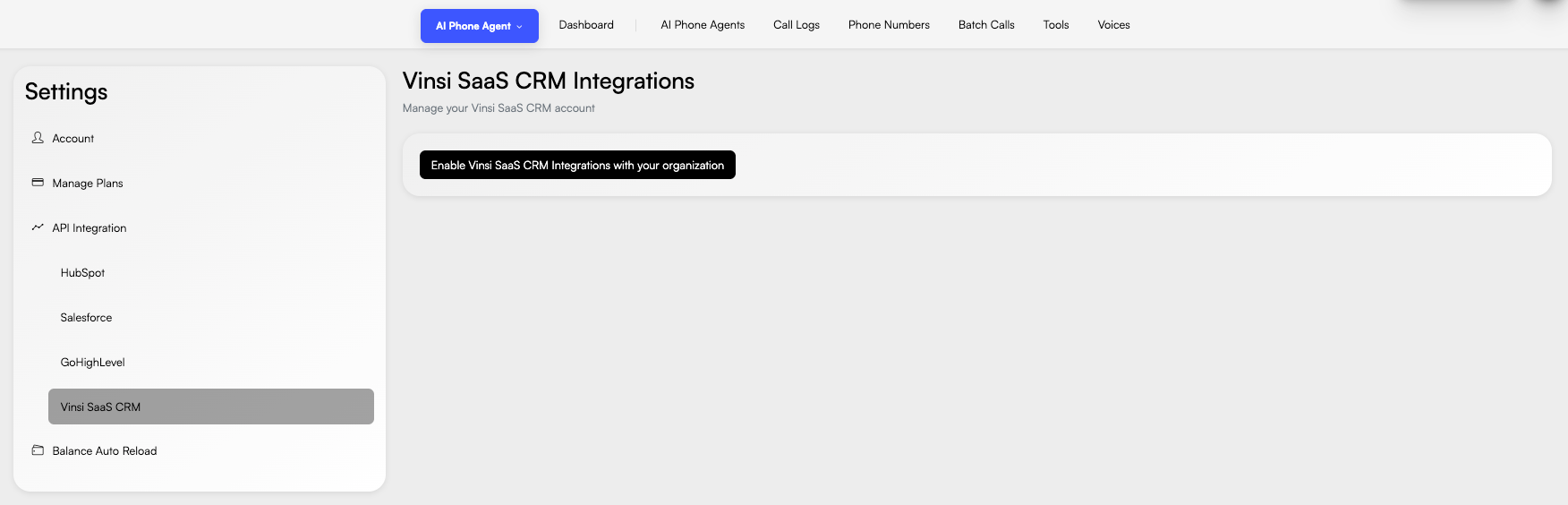
Once enabled, you can now configure the necessary tools to retrieve contacts, companies, and other CRM available objects
Using Vinsi CRM via Tools
To allow an AI Phone Agent to query Vinsi CRM data, you must create a Tool.
This is the list of available resources in the CRM:
- Contacts
- Companies
- Deals
- Tickets
- Tasks
For each resource you can retrieve a list of records, create a new record and update an existing one.
Tool Configuration
Add New Tool
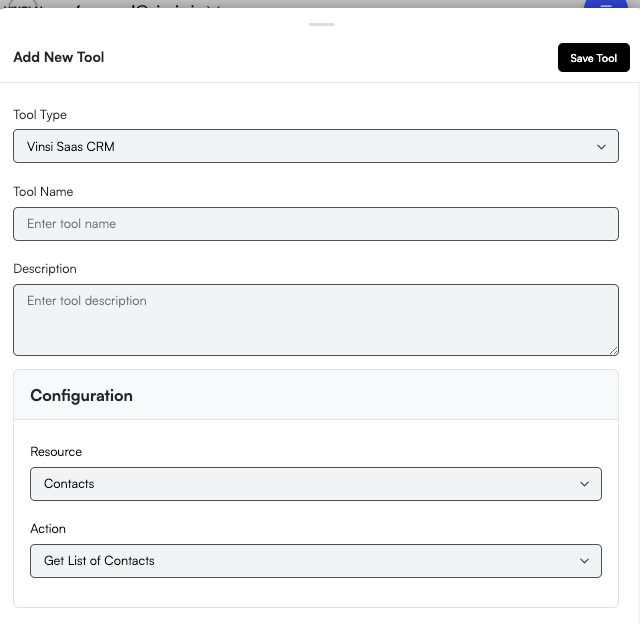
Navigate to Tools → Add Tool and configure the following fields.
- Tool Type: Vinsi Saas CRM
- Tool Name: Get Contacts
- Description: Fetch contacts from Vinsi CRM
- Resource: Contacts
- Action: Get List of Contacts
Authorization headers are injected automatically using the Vinsi Settings.
Tool form with 'Vinsi Saas CRM' type
Important Notes
- The AI will not recognize the records in the CRM immediately — you need to create a tool for each action so the agent can read/write data from the CRM.
- We always recommend fetching the list of records before making a create or update action. For example: retrieve the list of contacts before creating or updating a contact, so the agent can validate whether the contact already exists.
- Once a list of records is retrieved, the agent can perform any sort, filter, and search action.
TicketsandTasksresources must always be assigned to a contact; therefore, it is necessary to retrieve the list of contacts first.- These recommendations can be configured in the
AI Phone Agentinstructions.