QA CallsVINSI QA & CALL SCORINGAgents
Agents
Manage and track the agents being evaluated within your QA call campaigns.
Elite plan required — Upgrade needed to unlock QA Calls features!
Created April 1, 2026
Overview
The Agents page lets you view, add, or edit your agents.
Add Agent 
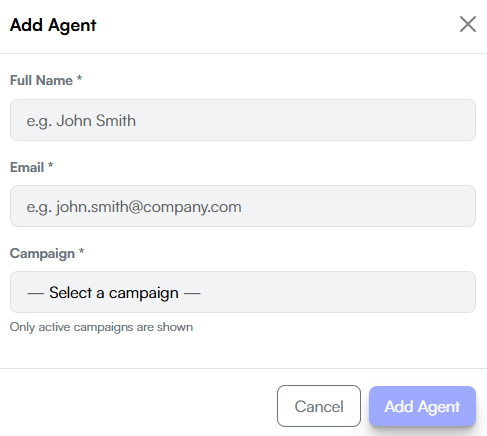
Click Add Agent to open the add agent form. The following fields are required:
- Full Name — the agent's full name
- Email — the agent's email address
- Campaign — select the campaign to assign the agent to. Only active campaigns are shown in the dropdown.
Agent Card
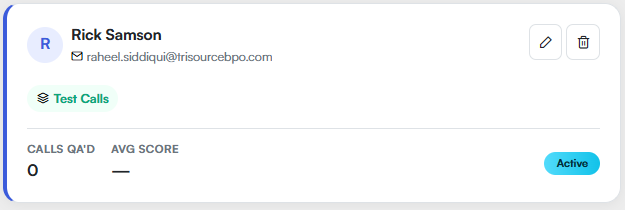
Each agent appears as a card showing their name, email, and the campaign they are assigned to. The card also displays two stats — Calls QA'd (total calls evaluated for that agent) and Avg Score (their average quality score) — along with an Active or Inactive status badge.
Use the  button to edit the agent's details, or the
  button to remove the agent.