Ticket Dashboard
A real-time view of your service desk health — track ticket volume, priority, and team workload at a glance.
Created March 27, 2026
Overview
The Ticket Dashboard gives your team an at-a-glance view of the health of your service desk at any point in time.
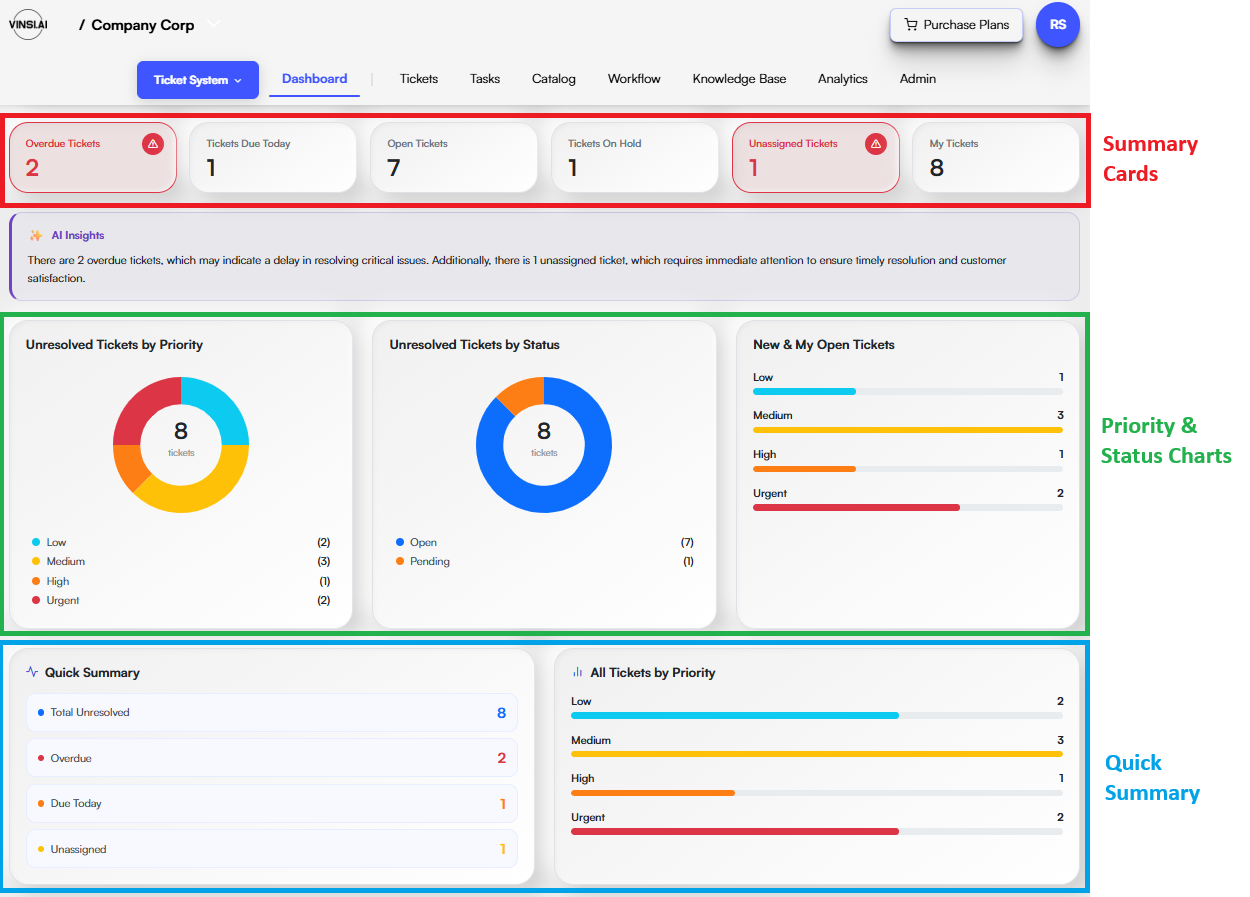
It is organized into three sections — summary cards at the top, visual charts in the middle, and a full ticket breakdown at the bottom — giving both individual contributors and team leads the visibility they need to stay on top of the queue.
Summary Cards
At the top of the dashboard, a row of summary cards displays key ticket counts so you can immediately spot bottlenecks and workload distribution without digging into individual records.
- Overdue — tickets that have passed their resolution deadline
- Due Today — tickets that must be resolved by end of day
- Open — all currently active, unresolved tickets
- On Hold — tickets paused pending additional information
- Unassigned — tickets not yet assigned to a team member
- My Tickets — tickets assigned directly to you
Priority & Status Charts
The middle section provides visual breakdowns to help identify where your team's attention is most needed.
- Unresolved Tickets by Priority — a pie chart showing the split between Low, Medium, High, and Urgent tickets
- Unresolved Tickets by Status — a pie chart breaking down Open vs. Pending tickets
- New & My Open Tickets — a priority-level breakdown of tickets currently assigned to you, giving a quick personal workload snapshot
Quick Summary
The bottom of the dashboard provides a full-picture summary across all tickets, including closed ones.
- Quick Summary — tracks totals for Unresolved, Overdue, Due Today, and Unassigned tickets in one consolidated view
- All Tickets by Priority — shows the distribution of every ticket across Low, Medium, High, and Urgent priority levels, giving managers and team leads the visibility needed to identify trends and keep the queue under control