Connect Twilio (Elastic SIP Trunking)
Keep your phone numbers in your own Twilio account and let VINSI AI agents answer and make calls on them.
Created: August 26, 2025
Updated: September 18, 2026
Overview
A Twilio Elastic SIP Trunk connects your Twilio numbers to VINSI in both directions: Twilio sends incoming calls to VINSI (origination), and VINSI sends the AI's outgoing calls and transfers out through Twilio (termination). The number stays in your Twilio account and on your Twilio bill.
Not on Twilio? See Connecting Your Phone System for the other options.
Before You Start
- A Twilio account with at least one voice-capable US or Canada number.
- A VINSI AI agent to answer the number. See Create an AI Phone Agent.
- Open VINSI's Phone Numbers page and click Add SIP Trunk. The Configure SIP Trunk window shows your Origination SIP URI under Inbound Call Setup — keep it open, you'll need it in step 3.
1. Create the Trunk
- Log in to the Twilio Console.
- Find Elastic SIP Trunking in the left menu (or search for it) and click Manage → Trunks.
- Create a new trunk and give it a name you'll recognise, such as VINSI AI.
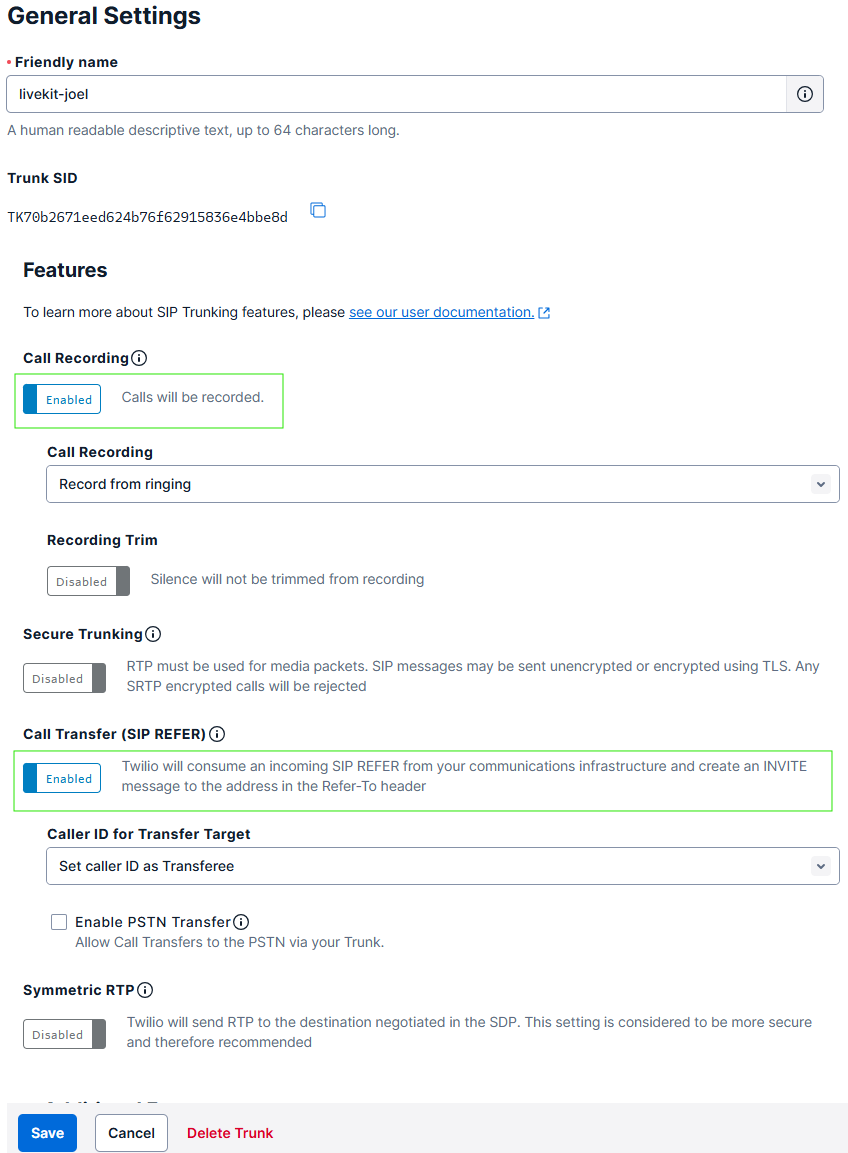
- Under General Settings, turn on Call Transfer (SIP REFER) so the AI can hand calls to your team, and Call Recording if you want Twilio to keep its own recordings.
- Click Save.
2. Termination (Outbound)
This is the address VINSI uses to send calls out through Twilio.
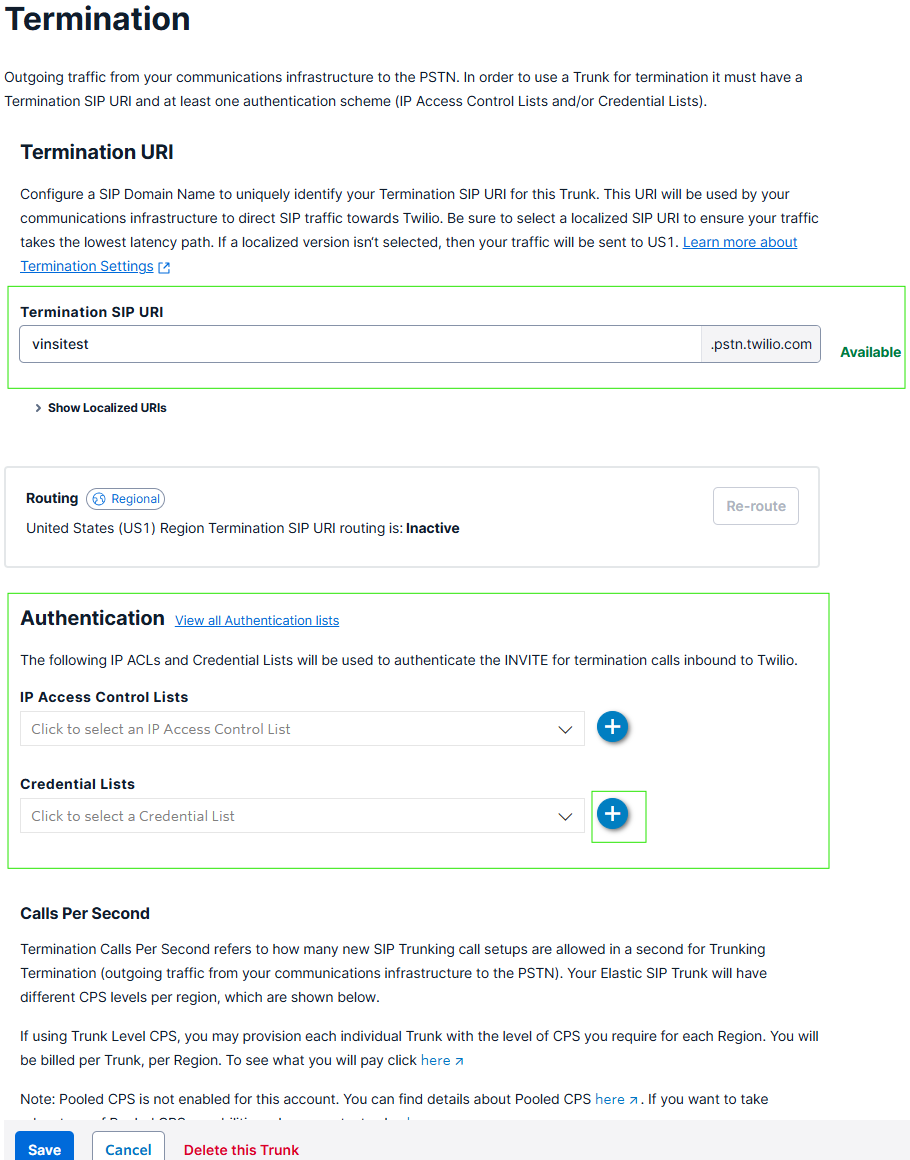
- Open the trunk's Termination tab.
- Choose a Termination SIP URI, for example
vinsi-acme.pstn.twilio.com. Note it down — this is the value for VINSI's SIP Termination URI field. - Under Authentication, create a Credential List with a username and password, and attach it to the trunk.
- Click Save.
Use a Credential List, not an IP Access Control List. VINSI's outgoing calls don't always come from the same IP address, so IP-only authentication will reject some calls. Save the password somewhere safe — Twilio won't show it again.
3. Origination (Inbound)
This tells Twilio where to send calls that come in on your number.
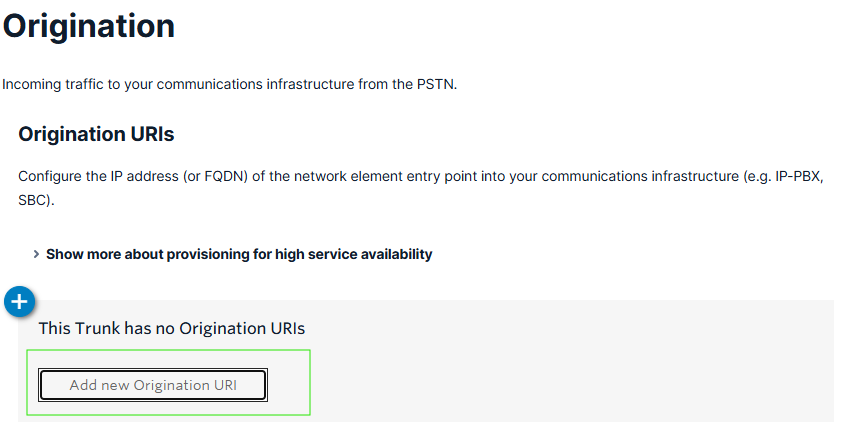
- Open the trunk's Origination tab and click Add new Origination URI.
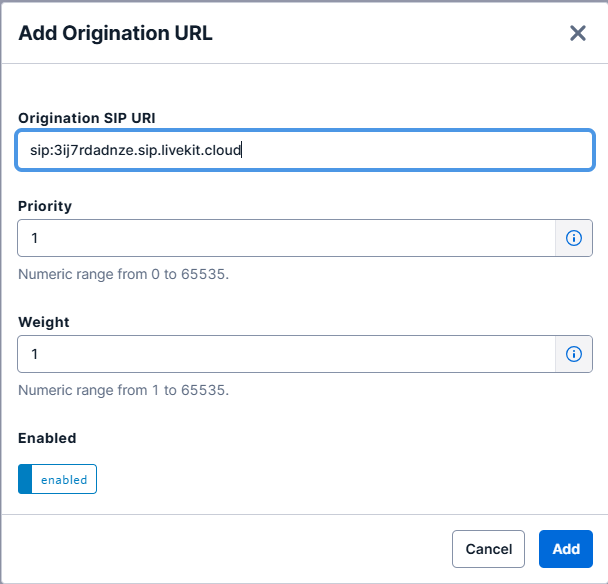
- Paste the Origination SIP URI from VINSI's Configure SIP Trunk window. Keep the
sip:at the start. - Set Priority to 1 and Weight to 1.
- Click Add.
4. Add Your Number
- Open the trunk's Numbers tab and click Add a Number.
- Pick an existing Twilio number, or buy one. Calls to it now go through the trunk instead of any webhook it used before.
5. Connect It in VINSI
Back in VINSI's Configure SIP Trunk window, fill in:
| Field | What to enter |
|---|---|
| Trunk Name | Any name, e.g. Twilio – Main line. |
| Phone Number | Your Twilio number in full format, e.g. +18005551234. |
| SIP Termination URI | Your Twilio termination address from step 2 with sip: in front, e.g. sip:vinsi-acme.pstn.twilio.com. |
| SIP Username | The Credential List username from step 2. |
| SIP Password | The Credential List password from step 2. |
- Click Configure Trunk. The number appears in your list.
- Assign it to an agent. See Setting Up Phone Numbers.
6. Test
- Incoming: call the number from your mobile. The AI agent should answer.
- Outgoing: open the agent and click Call Me to have the AI ring your phone.
- Transfer: ask the AI to transfer you, and check the call reaches the right person.
Each test call appears in Call Logs with its recording and transcript.
Troubleshooting
| Problem | Check |
|---|---|
| Incoming calls don't reach the AI | The number is on the trunk's Numbers tab; the Origination URI matches VINSI's exactly, including sip:; the number is assigned to an agent in VINSI. |
| The AI can't call out | The Credential List is attached to the trunk's Termination; the username and password in VINSI match it; the Termination URI in VINSI matches Twilio's, with sip: in front. |
| Calls to some countries fail | Turn those destinations on in Twilio's Voice Geographic Permissions. |
| Transfers don't connect | Call Transfer (SIP REFER) is enabled in the trunk's General Settings. |
| Please enter a valid E.164 format phone number | Enter the number as +1 followed by 10 digits. The form takes US and Canada numbers. |
| Please enter a valid SIP URI | Start the Termination URI with sip:, with no spaces, e.g. sip:vinsi-acme.pstn.twilio.com. |